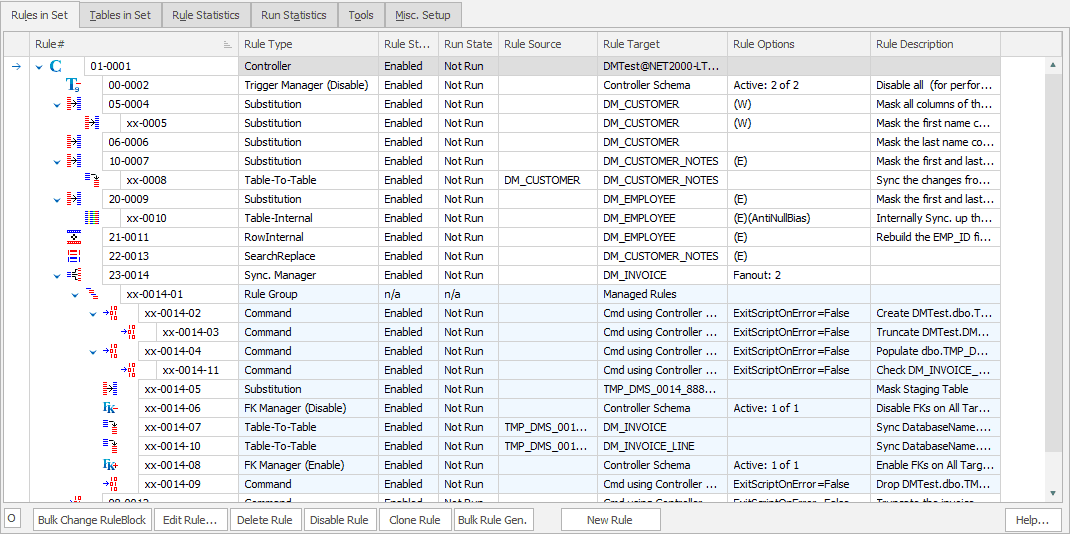
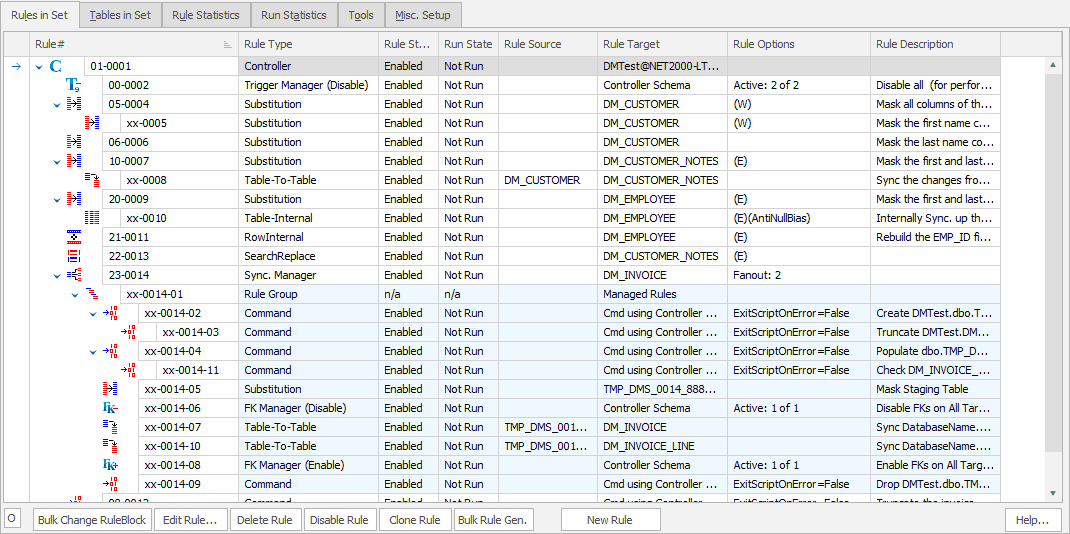
A chain of a Substitution Rule and Row-Internal Sync Rule on the COMM column in the EMP table. These rules form a pair: Rule 20-0005 masks the COMM field in all rows in the table using the NULL Values dataset to remove the contents. Then rule xx-0006 goes back over the same data and replaces the data in a random sampling of the rows (66%) with a value which is a random percentage of the previously masked SAL column.
Important Point:There are a number of important techniques illustrated in rules 20-0005 and xx-0006. First lets discuss the rule requirements and then discuss the techniques used to implement those requirements.
Requirements
- The basic decision taken before designing the masking rules is that the COMM field is too sensitive to leave any trace of the original values - including even the fact that the individual might or might not have received a commission.
- However, for the purposes of the end users of the test schema, a random selecton of the COMM fields must be populated and those values are required to be a sensible percentage of the rows SAL values.
- Remember the Data Masker software can run multiple rules simultaneously so rule xx-0006 cannot begin until rule 20-0005 completes. Steps must be taken to enforce this.
- Likewise the SAL column is, in itself, a masked value so the masking operation on the COMM field cannot start until rule 01-0004 has finished. Accordingly, steps must be taken to configure the rules so that the collection of rules 20-0005 and xx-0006 are not run until rule 01-0004 has completed.
At this point it is highly recommended that you read the Rule Blocks and Dependencies help page and also view the Using Rule Blocks and Dependencies tutorial to better understand how to explicitly control the execution order of the masking rules. [local] [internet]
Implementation
- Rule 0005 is implemented as a standard Substitution rule on the COMM field using the NULL Values dataset. When this rule is run all values in the column will be replaced with nulls.
- After rule 0005 completes, we wish to set the COMM field to a value related to other fields in the same row. This is what Row-Internal Sync Rules are designed to do. Double click on rule 0006 and have a careful look at how it is configured - it may also be useful to read the help page for this rule. You may also wish to look at the Creating Row-Internal Synchronization Rule tutorial [local] [internet]
- We cannot permit rules 0005 and rules 0006 to run simultaneously. Otherwise the actions of rule 0006 could be undone by rule 0005. There are two ways of controlling execution order: Rule Blocks and Dependencies. In this case since both rules are operating on the same column we chose to make rule 0006 dependent on rule 0005. This is done by dragging rule 0006 with the mouse and dropping it onto rule 0005. The dependency relationship ensures that rule 0005 will complete before rule 0006 is started.
- It is also required that rules 0005 and 0006 should not start until rule 01-0004 completes. Notice the structure of a rule ID - there are two parts: the rule block and the rule number. The 01 in rule ID 01-0004 indicates that the rule is in rule block 01.
- All rules in rule block 01 will completely execute before the next highest rule block begins. Accordingly, rule 0005 is changed to have a rule block higher than that of rule 0004 (20 in this example). This ensures that rule 20-0005 will not start until every other rule with a higher rule block completes. To change a rule block just select it with the mouse and edit it.
- Note that rule 0006 gets a rule block of xx once it is made dependent. A dependent rule assumes the rule block of the parent and executes immediately after the parent rule - irregardless of its rule block.
- The decison to use rule blocks to control the execution order for rule 20-0005 and a dependency for rule 20-0006 is mostly for visual effect to make the rules more readable and self documenting. The thinking is that since rules 0005 and rules 0006 operate on the same column, the dependency relationship emphasizes that the two rules are part of the same operation. Since rules 0004 and 0005 operate on separate columns, the distinctive run order is emphasized by using a rule block rather than a dependency.