[Net 2000 Ltd. Home][Data Masker Home][Data Masker Manual][Data Masker FAQ]

Data Masker for SQL Server
Quick Start Guide

If you have just installed the Data Masker software you will want to see how it works and begin to use it. To assist you with your evaluation and ease you gently along the learning curve we suggest you read the items below. We at Net 2000 Ltd. are happy to provide assistance. If you have any questions regarding the Data Masker software or need advice on how to accomplish a specific masking task please email us at: Support@DataMasker.com

Note: If you are waiting for an evaluation key you have requested, you can still view the tutorials and read some background information (see the steps below). We apologize for any delay - the evaluation key should be with you shortly.

Basic concepts to understand before you start

  1. There is no "Undo" ability in Data Masker. If you use the Data Masker tool to modify the data in an SQL Server database it stays modified. There is no magic button which can put it back the way it was. Consequently, you should never use Data Masker to modify any production data. The Data Masker software is intended and solely licensed for use on test, development and training systems.

  2. The Data Masker software requires a DLL and data files to be installed on each SQL Server instance it is to be run against. There are also some configuration actions to be performed. The Data Masker SQL Server Configuration Tool supplied with the Data Masker software can perform these configuration tasks (and many more).

  3. The data in the SQL Server instance and database is modified by the server side DLL according to actions initiated and monitored by the Data Masker Client software. The Data Masker Client software runs on a Windows PC and it can connect to local or remote SQL Server instances as required. The client software is also placed on the disk at installation time.

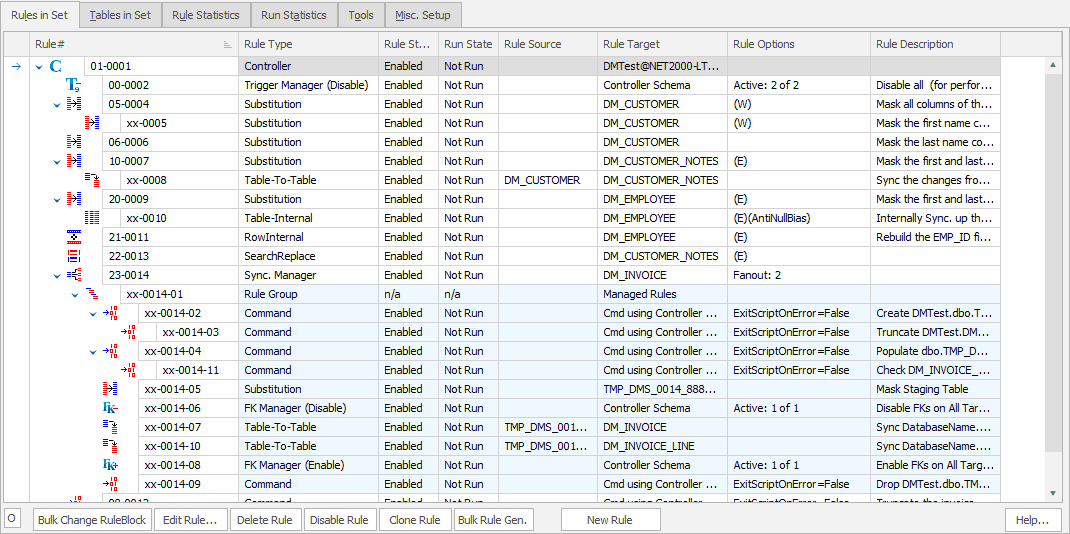
  4. The actions in the Data Masker Client software which modify the data in the SQL Server instance are implemented as rules (called masking rules). Each rule is designed to perform one specific task and most masking operations will require multiple rules to achieve the desired result. It is up to you to build these rules to suit your requirements. Don't worry though, building masking rules with the Data Masker software is pretty easy. The Data Masker software includes extensive examples and tutorials - just read on to see how it is done.

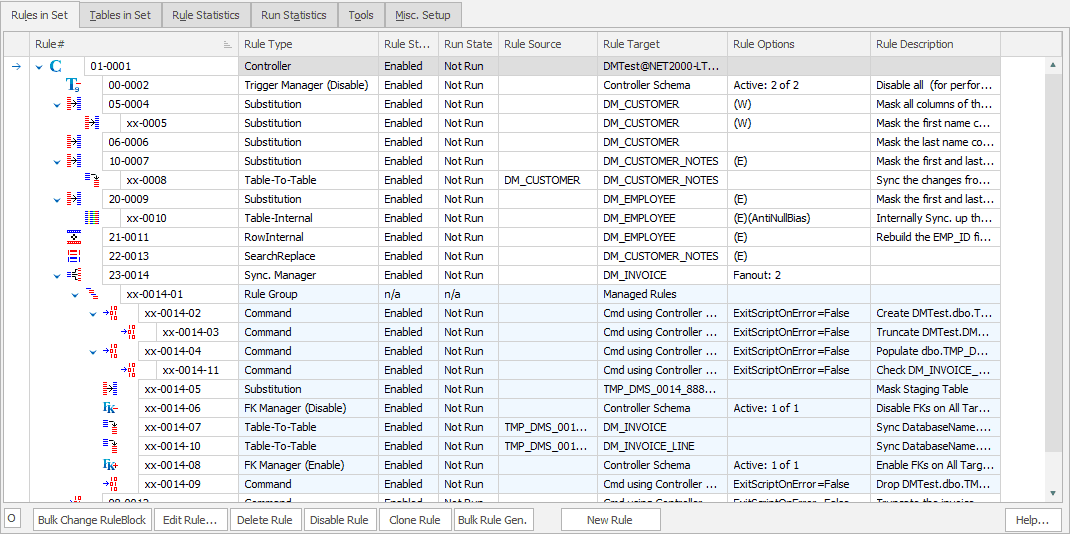
  5. A collection of masking rules, along with the connection information and schema structure is called a masking set. Masking sets are built and maintained using the point-and-click GUI interface in Data Masker Client software tool. After the build of the rules is complete, running the masking set is a simple process. The fundamental concept behind masking sets is that you should be able to use them to repeatedly launch a sequence of known, documented and tested masking operations with minimal operator involvement. Depending on the complexity of your requirements, there may be some effort involved in building a set of masking rules - but once done, the run process is very straightforward.

Getting Started

  1. Request an evaluation key. If you have not already done so, download the Data Masker software and install it. The installation will place an item in the Windows Start menu and (optionally) a folder on the desktop. Start the Data Masker for SQL Server Client software and use the form that pops up to request an evaluation key. It can take a short while for the key to return, so it is best to get that process started first.

        Action: Start the Data Masker Client Software and request an evaluation key.

  2. Learn about the various types of masking rule. All operations performed by the Data Masker software are configured as masking rules. It is important to understand the difference between the types of rules, how to configure them and when they are appropriate to use.

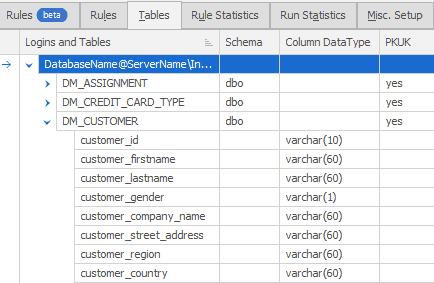
    • Rule Controllers are rules which contain login information. Rule Controllers tell their dependent masking rules which SQL Server and Instance they should connect to in order to perform their actions. All other types of masking rule must have a parent Rule Controller and every masking set must contain at least one Rule Controller.

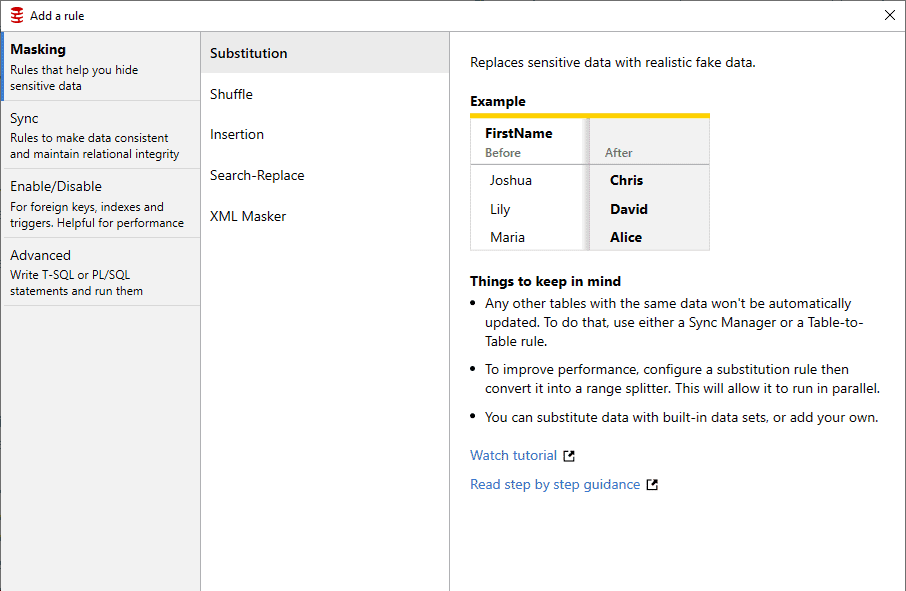
    • Substitution Rules are rules which replace the existing information in SQL Server tables with realistic looking information of a similar type. The replacement information used by the Substitution Rules is contained in Data Sets which are supplied with the Data Masker software. The Data Sets are located on the SQL Server instance and are installed when you configure the server side Data Masker DLL. Data Sets for just about everything are included and you can make up your own if you need to do so.

    • Command Rules are rules which can run any valid T-SQL statement. Think of them as a way to imbed a user defined command or action at an appropriate point in the masking set.

        Action: Read about Command Rules and view a tutorial on how to create them. View: Creating Command Rules tutorial [local] [internet]

    • Synchronization Rules are rules which ensure that scrambled data correlates (or synchronizes) with other data. Synchronization rules are necessary because it is very rare for database information to be stored in a fully normalized way. Usually, there is a requirement for data masked in one area to be masked in an identical way in another area. There are three basic types of synchronization: Row-Internal, Table-Internal and Table-To-Table. Synchronization is something of an advanced topic and it is probable you will need this sort of operation. However, if you are just starting out with the Data Masker software, you might wish to skip this topic and return to it later.

  3. Have a look at the pre-built masking sets. Sample masking sets for the standard SQL Server Pubs and Northwind demo schemas are supplied with every installation of Data Masker.

      Action: Start the Data Masker client, load up the Pubs.dms and Northwind.dms sample sets (they are in the Masking Sets folder) and have a look at the masking rules they contain. Read through the rules in each masking set, noting the various types and how they operate.

  4. Try running the sample masking sets. Choose a test SQL Server instance containing the Pubs and/or Northwind databases and configure the server side Data Masker components. The Data Masker SQL Server Configuration Tool is used for this purpose. Minimally, you will need to install the DLL and Data Set files. The sa user owns the extended stored procedures that interact with the DLL, if you wish to access the SQL Server instance via a different login you will also need to configure that login for Data Masker access. This procedure is also done via the Data Masker SQL Server Configuration Tool.

    1. Action: Use the Data Masker SQL Server Configuration Tool to install the server side binaries. View: Installing Data Masker SQL Server Components tutorial [local] [internet]
    2. Action (optional): Use the Data Masker SQL Server Configuration Tool to configure additional logins. View: Configuring SQL Server Logins for Data Masker [local] [internet]
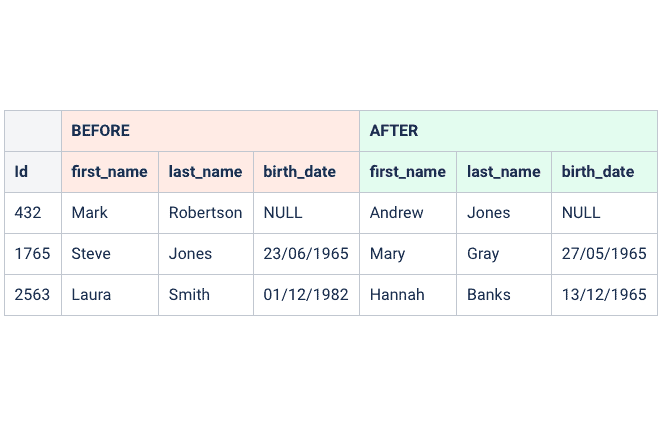
    3. Action: Load and run the sample masking sets. You will need to edit the rule controllers in each masking set so that the masking operations are conducted on the correct SQL Server instance - take care to get this right. It is a good idea to examine the contents of the database tables before and after the masking operations so that you can see the changes which have been made. View: Loading and Running Masking Sets tutorial [local] [internet]

  5. Try adding more rules to the sample masking sets. Adding new rules to an existing masking set will enable you to get some practice with masking rules. Be sure to observe the before and after effect on the data. It is a good idea to save the modified masking sets under a new name - that way if you upgrade the Data Masker software you will not overwrite your enhancements.

    1. Action: Add some extra rules to the Pubs.dms sample masking set. If you would like suggestions for additional rules, please have a look at the Suggested Pubs Rules page. A useful ER diagram for Pubs is available.
    2. Action: Add some extra rules to the Northwind.dms sample masking set. If you would like suggestions for additional rules, please have a look at the Suggested Northwind Rules page. A useful ER diagram for Northwind is available.

  6. Build a new masking set. The Data Masker software also ships with its own sample database. This database is called DMTest and it can be created in any desired schema using the options in the SQL Server Configuration Tool.

    1. Action: Use the Data Masker SQL Server Configuration Tool to build and populate the Data Masker sample tables in a test database of your choice.
    2. Action: Review the rules in the DMTest.dms sample masking set and run it if you wish.
    3. Action: Activate the New Masking Set button in the Data Masker Client software to build the basic structure of a new masking set and configure Rule Controller to connect to the DMTest database.
    4. Action: Build a masking set for the DMTest database. Make decisions about which columns in the DMTest database should be masked and the techniques you wish to use to mask them. Rebuild the existing rules and add new ones. Suggestions for possible masking rules can be found on the Suggested DMTest Rules page. As with the Pubs and Northwind databases, a useful ER diagram for DMTest is available.
    5. Action: Run the newly created masking set. Observe the before and after effect of the masking rules on the test data.

  7. Build a masking set for your own databases. You are now in a position to build a set of masking rules for your own SQL Server databases. We suggest you take the following steps:

    1. Action: Before you mask any data, think about the database and make a plan: which tables and columns need to be masked, which Data Sets should be used, do the masked columns require synchronization? Are there any other issues which need to be taken into consideration? We highly recommend reading the Data Scrambling Issues white paper. It discusses numerous, non-obvious and subtle factors which must be taken into consideration.
    2. Action: Build a new masking set for your database. Configure one or more Rule Controllers so that they can login to the correct SQL Server and instance.
    3. Action: Add some masking rules to the Rule Controllers. Carefully test the new rules, add some more, test again and repeat until the masking set is complete.
    4. Action: Test the masked database.

Thank you for taking the time to read the Data Masker Quick Start Guide. Hopefully your experience with the Data Masker software will be an enjoyable one. We at Net 2000 Ltd. are happy to provide assistance. Please do email us at the following address if you have any questions or need more information: Support@DataMasker.com


[Net 2000 Ltd. Home][Data Masker Home][Data Masker Manual][Data Masker FAQ]