[Net 2000 Ltd. Home][Data Masker Home][Data Masker Manual][Data Masker FAQ]

About Data Masker Masking Set Rules

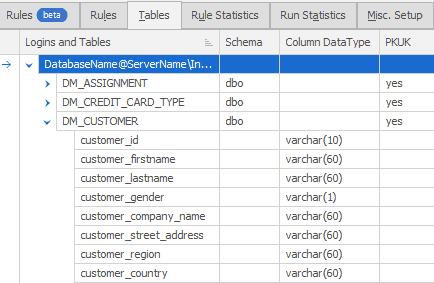
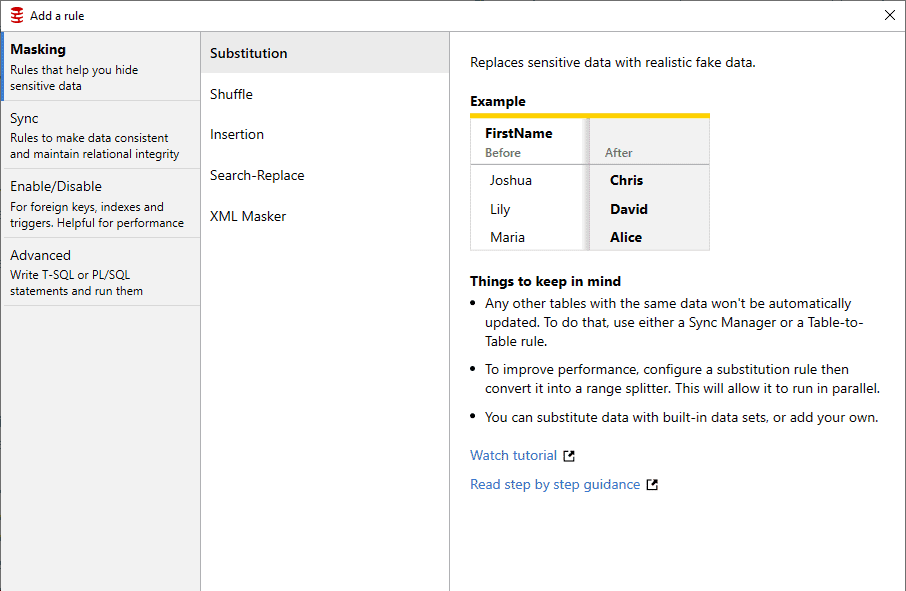
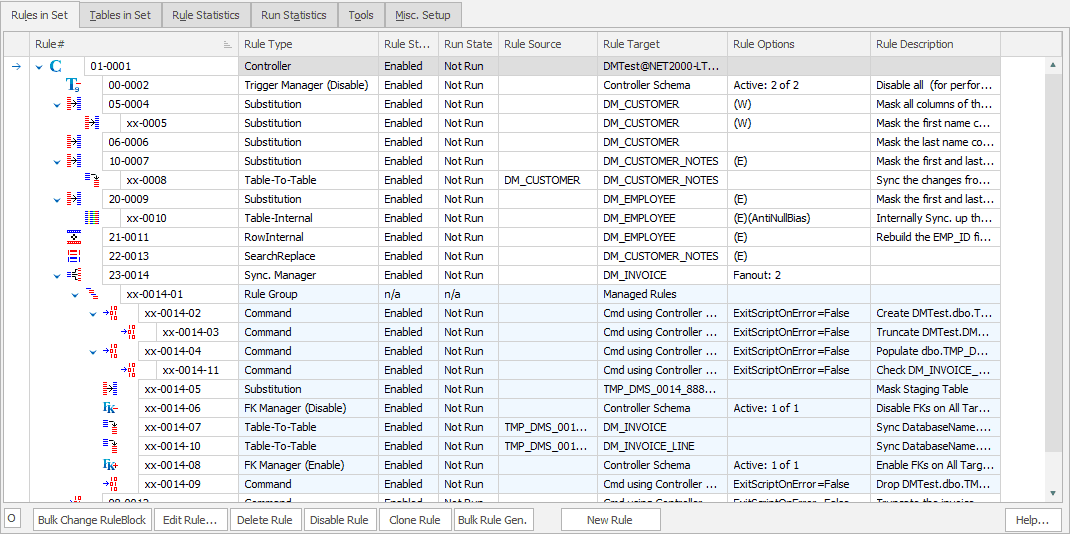
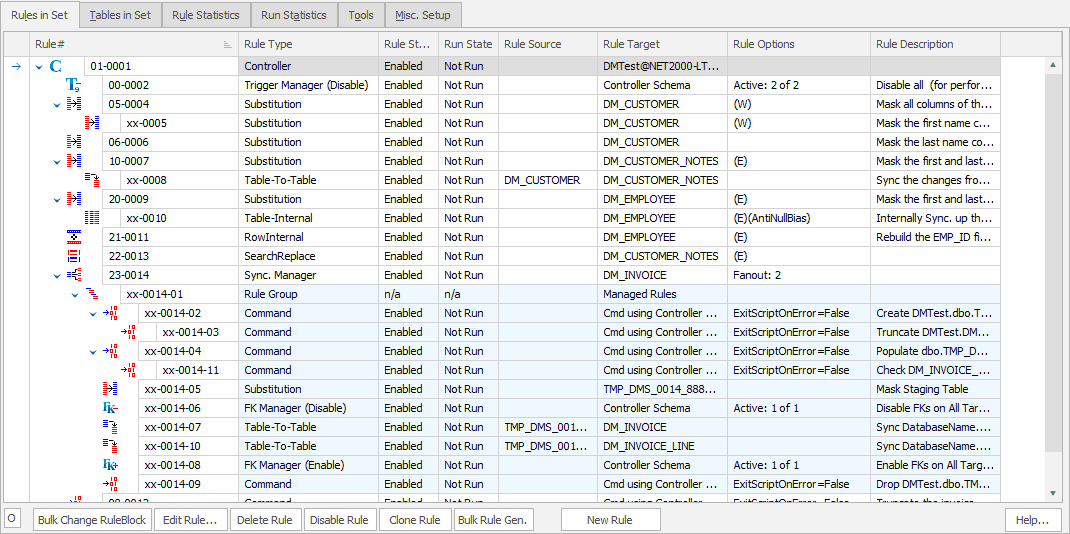
A masking set can (and usually does) implement a variety of different types of masking rules. Each type of rule has a different purpose which makes it suitable for a specific requirement. Typically a masking set will implement a number of masking rules in order to achieve the desired effect. Rules are added to a masking set using the New Masking Rule button on the Data Masker Build Masking Rules tab.


How to Create a New Masking Rule

The types of Masking rule are summarized below. Please click on the link to read a detailed discussion of each rule type.

Specialized Rules

Rule Controller
Rules which contain login information. Rule Controllers tell their dependent masking rules which SQL Server and Instance they should connect to in order to perform their actions. All other types of masking rule must have a parent Rule Controller and every masking set must contain at least one Rule Controller.

Insertion Rules
Inserts new rows into table columns. As insertion data this type of rule can use any of the available data sets appropriate to the column type.

Masking Rules

Substitution Rules
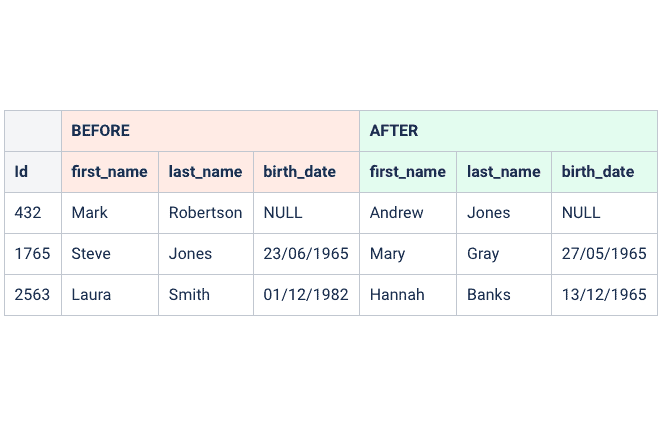
Substitutes the data in the column of a table. As substitution data this type of rule can use any of the supplied data sets or User Defined Data Sets appropriate to the column type. This type of rule can also substitute based on a user supplied WHERE condition.
Command Rules
This type of rule is used to run user defined T-SQL statements within the target database.

Synchronization Rules

Synchronization rules ensure that scrambled data correlates (or synchronizes) with other data. Synchronization rules are necessary because it is very rare for database information to be stored in a fully normalized way. Usually, there is a requirement for data masked in one area to be masked in an identical way in another area. For example, an employee name may be held in several tables. It is desirable (usually essential) that if the name is masked in one column then the other tables in which the information is held are also updated with an identical value. There are three basic types of synchronization and a specialized rule type to support each one.
Row-Internal Synchronization Rules
A Row-Internal Synchronization Rule updates a field in a row with a combination of values from the same row.
Table-Internal Synchronization Rules
A Table-Internal Synchronization Rule updates columns in groups of rows within a table to contain identical values.
Table-To-Table Synchronization Rules
A Table-To-Table Synchronization Rule uses a join condition to update columns in another table to contain identical values.

The Masking Process

Once added to the masking set, no changes to the table contents will take place until the rules are executed in the Data Masker Client software. To run a masking set and execute the rules within it click on the Run Masking Set button on the right hand side of the main Data Masker display.

While running, the Data Masker will execute each rule in a sequential process which activates each rule in turn. Each rule is processed in the visible screen order. The progress of the masking set run and information about each rules state can be viewed on the Rule Statistics tab.

Operationally, rule execution is quite straight forward. The effect is exactly what the rule and its options state. For example, a Substitution rule using the Random Last Names Data Set applied to the EMPLOYEE table on the EMPLOYEE_LASTNAME column would generate and substitute random last names in place of the existing last names. The substitution would continue until all rows in the table (or a subset if a WHERE clause option was specified) were updated with the new data. Commits happen at user configurable intervals (every 5000 rows is the default).

Important Note: Once a rule has been run it is not possible to recover the previous data by running another rule. For example, once a Substitution rule has been run, the data will be thoroughly masked and there is no way of "un-substituting" it. To retrieve the original data the usual database restore procedures would have to be implemented.


[Net 2000 Ltd. Home][Data Masker Home][Data Masker Manual][Data Masker FAQ]